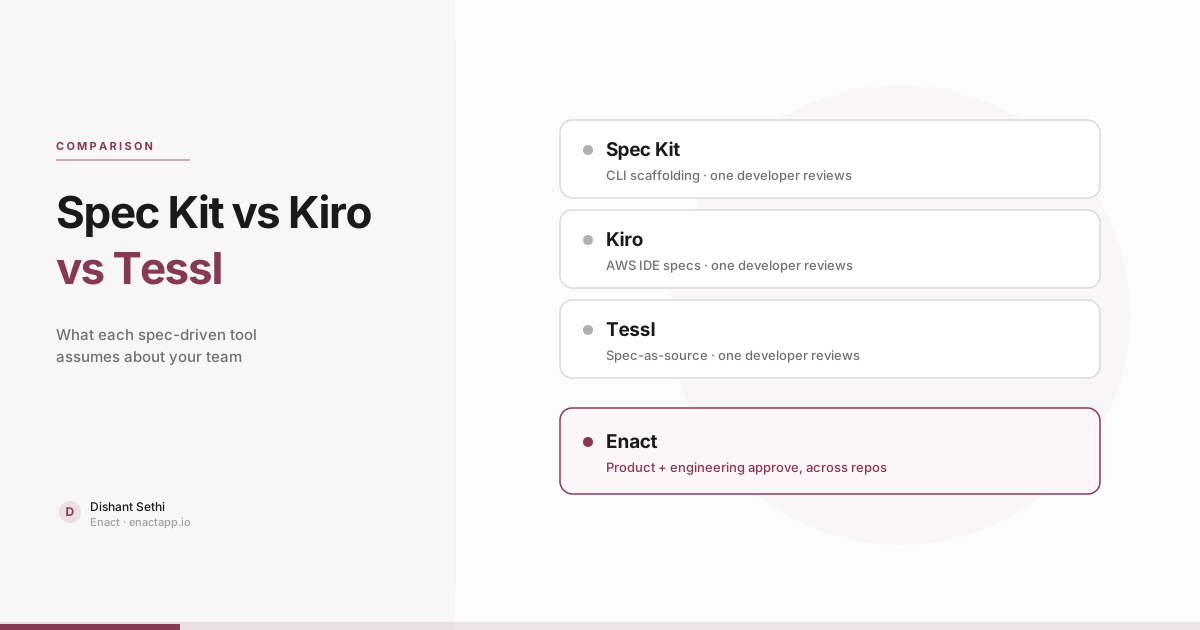
Comparing Spec Kit vs Kiro vs Tessl requires looking beyond feature checklists to examine the underlying assumptions each tool makes about team structure and workflow. Spec Kit assumes a developer driving a terminal workflow. Kiro assumes you want a dedicated IDE. Tessl assumes your team is prepared to stop editing code by hand. This difference in workflow assumptions, rather than feature breadth, determines long-term success.
Evaluating Spec Kit vs Kiro vs Tessl comes down to how your organization handles planning: who writes the spec, who reviews it, and whether the specification outlives the generated code. Spec Kit offers lightweight scaffolding for terminal agents. Kiro provides an AWS-backed IDE generating structured specification files. Tessl treats the specification as the primary source of truth. However, none of the three is designed for product managers and engineering leads who must jointly approve plans across multiple repositories.
This is an honest comparison written by the team behind Enact. When analyzing other tools, we reference their official documentation or established industry evaluations like Birgitta Böckeler's analysis on martinfowler.com. Product details were verified in October 2026.
Verdict / TL;DR
- Best for solo developers in terminal: Spec Kit provides an open-source CLI scaffolding workflow that runs inside existing agents like GitHub Copilot and Claude Code without requiring a new IDE.
- Best for AWS-centric IDE workflows: Kiro generates structured requirement, design, and task files in
.kiro/specs/using EARS notation within a dedicated VS Code fork.- Best for spec-as-source vision: Tessl treats specifications as the long-term maintainable artifact where generated code is disposable and not manually edited.
- Best for cross-functional teams: Enact bridges the gap none of these three address by enabling product managers and engineering leads to jointly review and approve specifications across multi-repo codebases.
What Spec Kit assumes about your team
GitHub's Spec Kit assumes a disciplined individual software engineer who prefers command-line workflows. It is an open-source framework designed to give AI coding agents structured processes, reusable templates, and documented outcomes. Spec Kit does not provide a visual UI; developers install a CLI and execute slash commands inside their preferred coding assistant.
The workflow follows a sequential progression: /speckit-constitution defines project principles, /speckit-specify captures requirements, /speckit-plan outlines technical implementation, /speckit-tasks breaks down work, and /speckit-implement directs the agent to write code. Spec Kit remains agent-agnostic, supporting GitHub Copilot, Claude Code, and Cursor.
The critical team assumption in Spec Kit is that the developer running the command acts as both author and sole reviewer. Spec Kit scaffolds the process, but the engineer must verify whether the agent generated sound requirements or hallucinated system constraints. This model works well for solo engineers or tightly aligned technical pairs. However, it lacks governance mechanisms when product managers define scope and engineering leads must validate system architecture before code is written.
What Kiro assumes about your team
Kiro is an agentic development environment created by AWS. Its foundational assumption is that developers prefer working within an integrated development environment (IDE). Built as a VS Code fork, Kiro transforms user prompts into three structured markdown files within .kiro/specs/: requirements, design, and tasks.
Requirements in Kiro use EARS notation (Easy Approach to Requirements Syntax), structuring rules as "WHEN [trigger] THE SYSTEM SHALL [response]" to enforce clarity and testability. Kiro provides both an exploratory Vibe mode and a disciplined Spec mode, alongside steering files and event-driven agent hooks.
The underlying challenge with Kiro is review overhead. In her comparative analysis on martinfowler.com, Birgitta Böckeler documented that Kiro generated 16 separate acceptance criteria for a minor bug fix. If evaluating verbose generated specifications demands more cognitive effort than reviewing code diffs, the planning overhead becomes counterproductive.
Furthermore, Kiro assumes the specification is maintained exclusively by the individual developer in their local editor. It does not provide workflows for cross-functional reviews where a product manager approves business logic before an engineer approves database schemas.
What Tessl assumes about your team
Tessl, founded by Snyk creator Guy Podjarny, introduces a significant cultural shift: moving software development from being code-centric to being spec-centric. Under the Tessl model, specifications serve as the primary long-term artifact while generated code is treated as disposable.
Tessl consists of the Tessl Framework, which pairs specifications with automated tests in version control, and the Tessl Registry, which includes over 10,000 pre-built library specifications to prevent agent hallucinations. The framework interfaces with coding assistants using the Model Context Protocol (MCP), the open standard for tool integration.
Böckeler categorizes Spec Kit and Kiro as "spec-first" tools, where specifications initiate tasks but code remains the ultimate source of truth. In contrast, Tessl champions "spec-as-source", where engineers do not edit generated code manually. Adopting Tessl requires complete organizational alignment around treating code as a compiled output of specifications. For many development teams, this represents an organizational transition that requires gradual adoption.
Spec Kit vs Kiro vs Tessl: comparing team assumptions
Most comparison matrices focus on CLI commands and file extensions. The table below evaluates the operational assumptions each tool makes regarding team composition, review processes, and system scope:
| Dimension | Spec Kit | Kiro | Tessl | Enact |
|---|---|---|---|---|
| Primary interface | CLI commands in terminal agent | Dedicated IDE (VS Code fork) | Developer framework over MCP | Shared web application and MCP |
| Spec author | Engineer via slash commands | Engineer from natural language prompt | Engineer writing core specs | Product manager and tech lead together |
| Spec reviewer | The engineer who ran the command | The engineer working in the IDE | The engineer reviewing spec diffs | Cross-functional sign-off by section |
| Artifact storage | Markdown files in repository | .kiro/specs/ markdown files |
In-repo specs paired with tests | Structured spec linked to Jira/Linear tickets |
| Authority model | Spec-first (code is truth) | Spec-first (code is truth) | Spec-as-source (code is disposable) | Governed spec (approved scope gates build) |
| System scope | Single local repository | Single workspace open in IDE | Single repository containing spec | Multi-repo codebase knowledge graph |
| Approval gate | Self-directed by author | Self-directed by author | Self-directed by author | Joint product and engineering sign-off |
| Ideal fit | Disciplined solo developer | Engineer wanting an AWS IDE | Team adopting spec-as-source | Teams where PM and Eng must agree first |
Examining this matrix reveals an important pattern: Spec Kit, Kiro, and Tessl diverge in their interfaces and philosophical models, but all three assume the author and reviewer are the same engineer. None of them provides an approval mechanism for cross-functional teams where product intent and technical architecture must be reconciled before an AI agent generates code.
Workflow summary: Spec Kit, Kiro, and Tessl assume a single developer writes and reviews specifications, whereas Enact coordinates joint sign-offs between product and engineering across multiple repositories.
The missing dimension: cross-functional multi-repo planning
The failure mode development teams experience with AI coding agents is rarely an unformatted specification. Instead, issues arise when an individual developer creates a spec that appears plausible in isolation, but conflicts with broader system dependencies or unstated business requirements. When agents generate hundreds of lines of code based on incomplete assumptions, unwinding that technical debt creates substantial rework.
Two capabilities are absent across Spec Kit, Kiro, and Tessl:
- Cross-functional sign-offs: Product managers and engineering leads need a clear mechanism to review and approve specifications together. Product managers review user flows and edge cases, while engineering leads verify API contracts, database schemas, and performance constraints. This workflow is detailed in our guide to spec approval workflows for AI coding agents and our guide on how PMs review AI-generated code.
- Multi-repo blast radius tracking: Real-world architectures span multiple services, shared libraries, and message brokers. An agent updating an event schema in one service can silently break downstream consumers in another repository. Tools limited to a single repo cannot identify cross-repository dependencies before execution begins.
Enact addresses both requirements. Enact constructs a structural codebase knowledge graph across all connected repositories, identifying downstream consumers and breaking changes before any agent starts coding. Product managers and engineers review structured specifications together, signing off on individual sections to establish a clear audit trail.
Once approved, the specification is served to Claude Code, Cursor, Copilot, or Windsurf via the Model Context Protocol, ensuring the agent adheres to agreed architectural boundaries. Teams can quantify the cost savings of catching cross-repo dependency breaks early using our rework ROI calculator.
How to choose the right spec-driven tool
Selecting among Spec Kit, Kiro, Tessl, and Enact depends on your team structure and architectural complexity:
Choose Spec Kit if:
- You are a solo developer or working in a small, highly aligned technical team.
- You prefer command-line workflows and want to use existing agents like Claude Code or Copilot without adopting a new IDE.
- You want open-source process scaffolding without external platform dependencies.
Choose Kiro if:
- You want an IDE-first experience with built-in requirements generation using EARS syntax.
- Your workflow centers on AWS services and you prefer managing markdown specs directly in
.kiro/specs/. - You have time to review detailed generated requirements files locally.
Choose Tessl if:
- Your organization is committed to adopting spec-as-source as a core engineering philosophy.
- You want to eliminate manual code editing entirely and rely on disposable code generated against specifications and registry definitions.
Choose Enact if:
- Product managers and engineering leads must jointly approve requirements and system architecture before AI agents implement code.
- Your application architecture spans multiple repositories or microservices where schema changes create downstream risks.
- You require an auditable record of technical decisions linked to Jira or Linear tickets. To understand the organizational principles behind this approach, see our analysis of what spec-driven development means for teams.
See planning that two sides approve together
Bring a real ticket that crosses repositories. We will show you how Enact plans it, gates it, and serves the approved plan to your agent.
Watch a demo →